

The BachGround Field Guide 02
Background Music for Video: How to Choose the Right Track
Start with what the music has to do. The right track follows from that.
Background music can steady a talking-head video, carry a montage or change how a scene feels. This guide covers how to choose it for speech, pacing and mood, how stock and AI options compare, how loud it should sit, what to check in a license and what to review before you deliver.
For filmmakers, editors & video creators
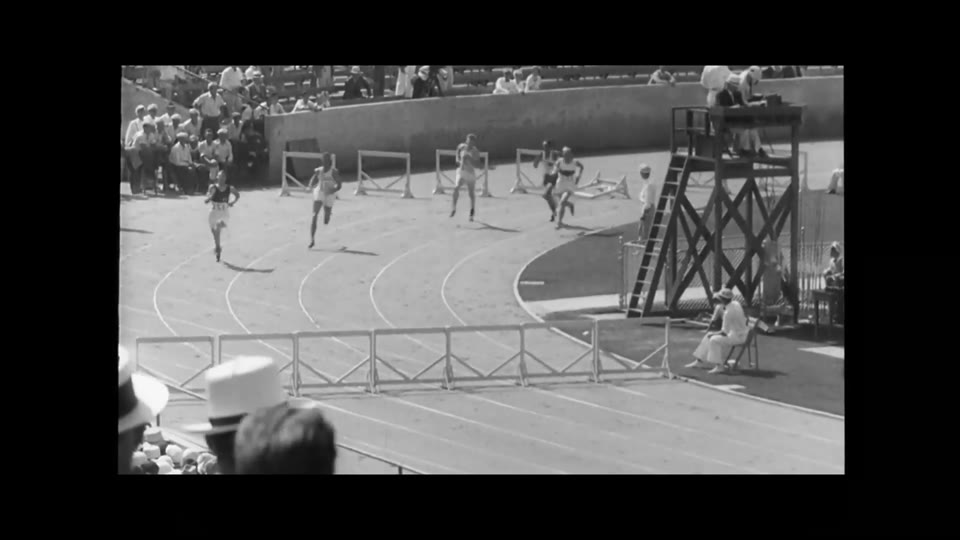 JUDGE IT WITH THE PICTURE
01 / THE JOB
Give the Music a Job First
Before you search for a track or generate one, finish this sentence: the music is here to… Support a speaker without being noticed. Set a mood in the first ten seconds. Hold a montage together across hard cuts. Let a quiet moment land.
A track can be good and still be wrong for your video. Naming its job gives you a way to judge it, and it can tell you when the better choice is no music at all. A moment of silence before an important line can do more than any cue.
02 / MATCH IT TO THE VIDEO
Choose for Speech, Pacing and Mood
Speech
If someone is talking, speech comes first. Look for a simple, steady arrangement with few melodic leads and no lyrics. Singing and busy solo instruments compete for the attention the speaker needs. Let the music come forward in the pauses and fall back before the next line.
Pacing
Music has its own pace, separate from your cuts. A fast edit does not always need a fast track: steady, slower music can make a rapid sequence feel controlled. A busy track over a slow scene can make it feel rushed. Mark where the energy of your video should rise and fall, then look for music with the same shape.
Mood
Name the feeling in one or two words, then test it against the picture. Instrument choice, register, density and space often say more than whether a piece sounds happy or sad. Music can also play against the picture. That works when it is a decision, and reads as a mistake when it is an accident.
| Format | What the music usually does | Listen for |
|---|---|---|
| Interview, tutorial or voiceover | Stays under the speech and adds a little warmth or momentum. | Can you follow every word at a low playback volume? |
| Montage or reel | Carries energy across the cuts and gives the sequence a shape. | Does it rise where the sequence rises, and finish cleanly? |
| Documentary | Adds atmosphere without telling the viewer what to conclude. | Does it leave room for the subject and the real sound? |
| Short film scene | Follows a change in the character or the tension. | Does its entrance feel motivated? Would less be stronger? |
03 / CHOOSE AN APPROACH
Stock Music and AI Music, Compared
Each route suits different work, and many editors use more than one. BachGround makes the third kind of tool in this table, so weigh the comparison with that in mind.
| Compare | Stock library | Text-prompted AI | Video-informed AI |
|---|---|---|---|
| Starts with | A catalog of finished tracks you search and audition. | A written description of the music you want. | Your uploaded video, with optional written direction. |
| Strengths | You hear the finished track before you commit. Human composition and performance are available. It is fast when the right piece exists. | A quick way to try several directions. Each result is new audio rather than a catalog track. | The first draft starts from the footage, so it has a relationship to the picture before you edit. |
| Trade-offs | The track was not written for your video, so you edit it to fit. Other videos can use the same music. | The tool does not see your video, so timing and shape are left to you. Results vary and may take several tries. | The analysis is an interpretation and can miss what matters. Timing is not guaranteed, and you still need to review and edit. |
| Often suits | A specific genre or sound, or a project that needs a human performance. | Simple timing, or music you plan to cut to the picture yourself. | A finished cut that needs a starting score to refine. |
| Check first | What the license covers, and what happens when a subscription ends. | Who owns the output and whether commercial use is allowed. | The same output terms, plus how your footage is handled and whether you may upload it. |
If you need a recognizable theme, a live recording or close creative collaboration, working with a composer gives you the most control. For a known song, you will need to license it from its rights holders.
04 / WATCH & LISTEN
Sound onJudge the Music Against the Picture
Archive, action & motion is a documentary-style montage from the BachGround Examples collection, moving between archival images, motorsport, a rocket launch and outdoor action. Use it as a listening exercise.
- Where does the music first draw your attention? Was that the moment you wanted to notice?
- Does the energy change in the same places as the picture?
- Turn the sound off for a passage, then back on. What did the music add?
- How does it end, and does that ending feel like the end of the video?
Apply the same questions to your own footage. A track that sounds impressive by itself can be too much behind dialogue, so always audition it in the edit.
05 / THE MIX
How Loud Should Background Music Be?
There is no single correct level. The real test is whether a first-time viewer can follow every word without effort. Adjust the music by ear while someone is speaking, and bring it down if any line takes effort to follow. Music-led sequences with no speech can sit much higher.
Speech clarity
Listen to the quietest line in the video, not only the loudest. Every word should be easy to follow on a first watch.
Level changes
Music can sit higher between lines and fall back before the next one. Make those moves gradual enough that the viewer does not notice them.
Entrances and exits
Check each start and stop against the picture. A fade, or an entrance on a cut or breath, usually feels less abrupt than music that simply appears.
The ending
Let the music resolve or fade with the video. A track that stops mid-phrase on the last frame is easy to hear and easy to fix.
06 / RIGHTS
Licensing Basics
This is general information, not legal advice. Rules vary by country and by license, so read the terms for the music you use, and ask a lawyer when the stakes are high.
- Sync and master rights
- Using a recorded song in a video usually involves two permissions: one for the composition (synchronization) and one for the recording (master).
- “Royalty-free” is a license term
- It usually means you do not pay a royalty per use after you obtain the license. It does not mean free of charge or free of copyright, and the license still sets the limits.
- Creative Commons and public domain
- Creative Commons licenses differ: some require credit, and some exclude commercial use or adaptations. A composition can be in the public domain while a particular recording of it is still protected.
- Scope
- Check commercial use, client work, paid advertising, territory and duration. If the license comes from a subscription, check whether videos published during it stay covered after you cancel.
- Platform claims
- Automated matching systems can flag music even when it is properly licensed. Keep your license or receipt, and know how to dispute a claim on the platform you publish to.
- AI-generated music
- Rules on copyright in AI-generated work are still developing and differ by country. Read each tool’s terms for who owns the output, whether commercial use is allowed and what warranties it gives.
07 / BEFORE YOU DELIVER
Check the Export
- Play the exported file from start to finish, rather than trusting the timeline preview.
- Listen to the first and last few seconds for clicks, abrupt starts and cut-off endings.
- Confirm that dialogue, natural sound and music are all present at the levels you expect.
- Check picture and sound against each other near the end of the video.
- Listen on headphones and on a phone speaker, where low-frequency music and quiet speech behave differently.
- Compare the file with the delivery spec for container, codec and loudness.
- Keep the license, terms or receipt for the music with the project files.
BachGround offers three exports, which all use your edited mix. A plan or purchased credits is required to export.
Soundtrack for further mixing
The edited music as 16-bit, 44.1 kHz stereo. Original source audio is excluded.
A smaller audio file
The edited music at 256 kbps. Original source audio is excluded here, too.
Your video with its score
The edited music and original source audio together, subject to your track levels, mute and solo settings.
Exports are a finished mix; individual stems are not available. Exports are processed in your browser. Video export depends on browser and source-codec support; if it cannot complete, export WAV and finish in your video editor.
08 / WHERE WE FIT
Where BachGround Fits
BachGround examines the picture and sound of your video and uses that analysis, with a content type and an optional brief, to inform a new soundtrack that you refine in Video Composer. It is a starting point: exact timing and musical outcomes can vary.
- Uploads
- MP4 or MOV, up to 512 MB and 15 minutes.
- Models
- Flash is the faster, more economical way to explore ideas. High spends more processing on the score.
- Trying it
- New accounts receive a small Flash trial for a short clip, with no credit card required. You can listen and edit before you buy. A subscription or purchased credits unlocks High and exports, and generation still uses your available balance.
- Pricing
- Monthly plans: Essential $7.00, Creator $14.99, Studio $49.99, with lower pricing when billed yearly. One-time credits start at $5.00 and never expire. Tax is shown at checkout. See current plans and credits.
BachGround is not the right tool if you need a specific existing song or a live performance. A license or a composer will serve you better.
Read the step-by-step scoring guide09 / A FEW USEFUL ANSWERS
Common Questions
How loud should background music be under dialogue?
Quiet enough that a first-time viewer can follow every word without effort. There is no single correct level, so adjust it by ear and judge it against the picture.
What kind of music works best behind speech?
Usually something simple and steady, without lyrics or busy melodic lines. The right choice still depends on the tone of the video and the job the music has to do.
Does background music need to change with every cut?
No. Music that follows every cut can feel mechanical. It usually works better to follow the larger changes in energy and let some cuts play across a steady passage.
Is royalty-free music free?
Not necessarily. The term usually means you do not pay a royalty per use after you obtain a license. That license can still cost money and can still limit how you use the music.
Can I try BachGround for free?
New accounts receive a small Flash trial for a short clip, with no credit card required, and can listen and edit before buying. High and exports require a subscription or purchased credits.
Can I export the music without my video?
Yes, with a plan or purchased credits. WAV and MP3 exports contain your edited soundtrack without the original source audio. The MP4 export combines the music and source audio.
THE NEXT SCENE IS YOURS
Hear What Your
Video Calls For
Bring a short clip and a sense of what the music should do.